
Model and skin problems
Fix skins that T-pose, center the camera, put the health bar at the feet, show red or purple checkerboards, or lose sounds.
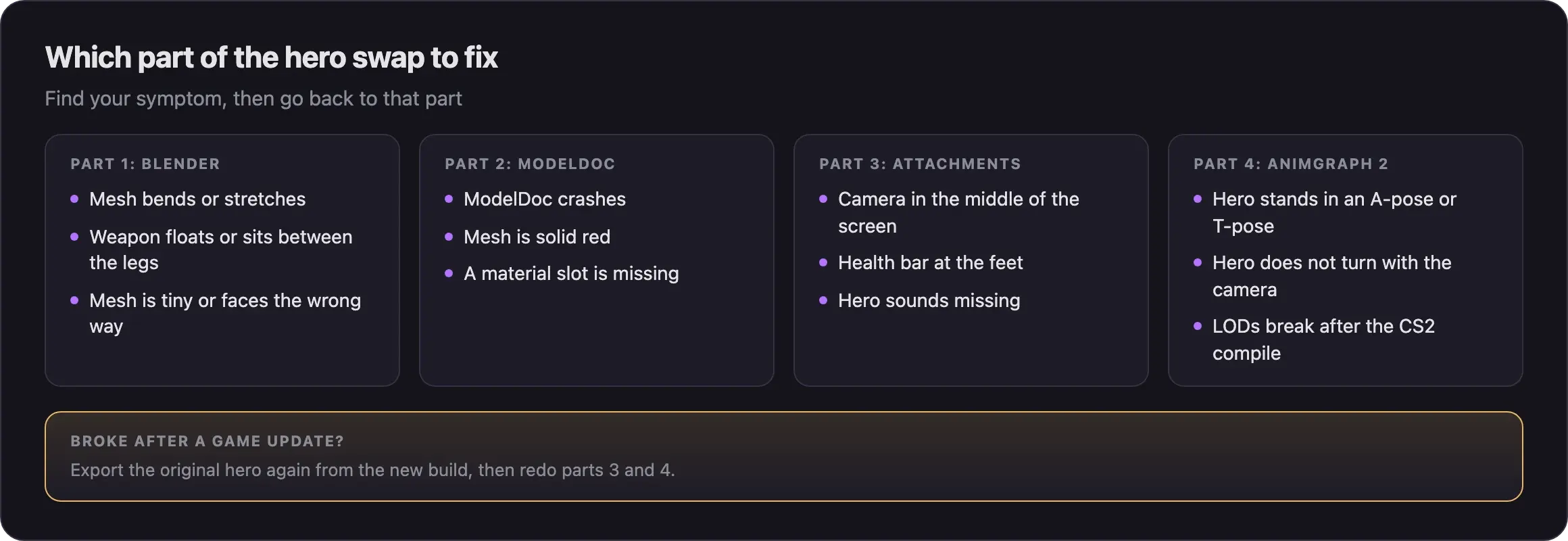
Fixes for custom hero models that look or act wrong, in ModelDoc or in game. Find your symptom below. Each fix points back to the step in the hero model swap guides that solves it.
What you need

Source 2 Viewer compares your model with the original hero. CSDK 12 opens your skin's addon in ModelDoc. The console shows errors that name your files. Click its chip to see how to turn it on.
First checks
- Remove other mods for the same hero. When two mods ship the same file, the lower pak number wins.
- Check your model's path and file name against Source 2 Viewer, letter by letter.
- Open the console with F7 and read the errors that name your files.
Find your symptom
The model broke after a game update
Valve sometimes moves a hero's model to a new folder. It can also change the skeleton, camera setup, or animation graph. Your skin then stops loading or breaks.
- Check the hero's current path in Hero names and file paths or in Source 2 Viewer.
- Export the original hero again from the new build.
- Redo the attachments and game data with part 3.
- Redo the AnimGraph 2 links with part 4.
- Check that your VPK holds no
.vnmskel_cand nothing fromscripts/.
Next steps
The full routine for fixing your mod after Valve ships an update.
Start the swap again from the Blender step.
Compile, packing, and tool errors outside ModelDoc.
Credits
This guide is based on the work of these creators. Check out their original guides.
- Video: (Read Desc) Deadlock - General Model Swap Steps by Pugzilla.
- Video: Bat Drifter from Start to Finish: Part 1 - Make it exist first, make it pretty later by Basilisken.
- Guide: From Start to Finish (Fuji's Asset Replacement Guide) by Fuji.
- Guide: Neutral's General Guide for Modding Deadlock (Models, Textures, Sounds) by Neutraldrift.
- Guide: How to Model Replace for Dummies + Blender Steps by Axelliax.
- Guide: Custom animation VmClip guide from Deadlock Modding Notes.