
Easy - Basic Sound Modding
Beginner guide to replacing existing League of Legends sounds using Quartz
Required tools:
QuartzThe main tool for parsing, previewing, and replacing sounds in .bnk and
.wpk files.
Helpful tools:
AudacityRecommended. For trimming audio, matching loudness, and exporting clean waveforms.
yt-dlpOptional. Command-line tool to grab audio samples from online media.
File Formats Overview
League stores audio and its logic across three file types:
.bnk: A Wwise SoundBank. Can hold raw audio data (audio.bnk) or the hierarchy, bus routing, and event trigger logic (events.bnk)..wpk: A Riot-only format with no logic headers. A flat package that only holds audio data (commonly used for VO)..wem: Individual Wwise-encoded, compressed audio files packed inside.bnkand.wpkcontainers.
SFX (abilities, auto-attacks, impacts, UI) are stored in audio.bnk.
VO (champion lines, announcer callouts) is stored in audio.wpk and driven by events.bnk.
Finding the Required Files
Editing champion audio means pairing the sound files with the skin's .bin file:
| File role | Format | Example file path |
|---|---|---|
| Audio bank / pack | .bnk or .wpk | ASSETS/Sounds/Wwise2016/VO/en_US/Characters/Yone/Skins/Base/Yone_Base_vo_audio.wpk |
| Events bank | .bnk | ASSETS/Sounds/Wwise2016/VO/en_US/Characters/Yone/Skins/Base/Yone_Base_vo_events.bnk |
| Skin definition | .bin | data/characters/Yone/skins/skin0.bin |
Quartz gives you two ways to load these files:
- From game: Pick the champion and skin from the dropdown to pull the files straight from your League install.
- From an existing mod: Point Quartz to an unpacked mod folder if you are building on someone else's work.

Step-by-Step: Replacing Sounds
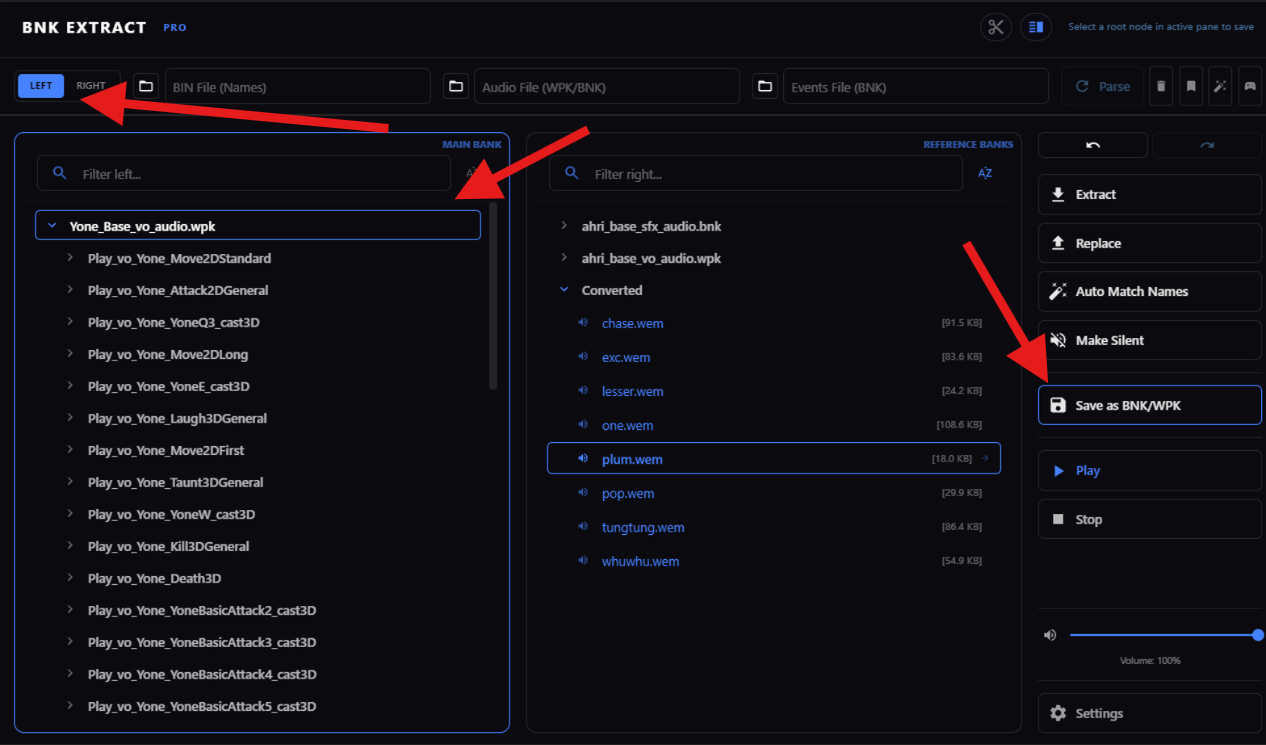
1. Open the Sound Bank Tab
Switch to the Sound Bank tab in the main Quartz window.
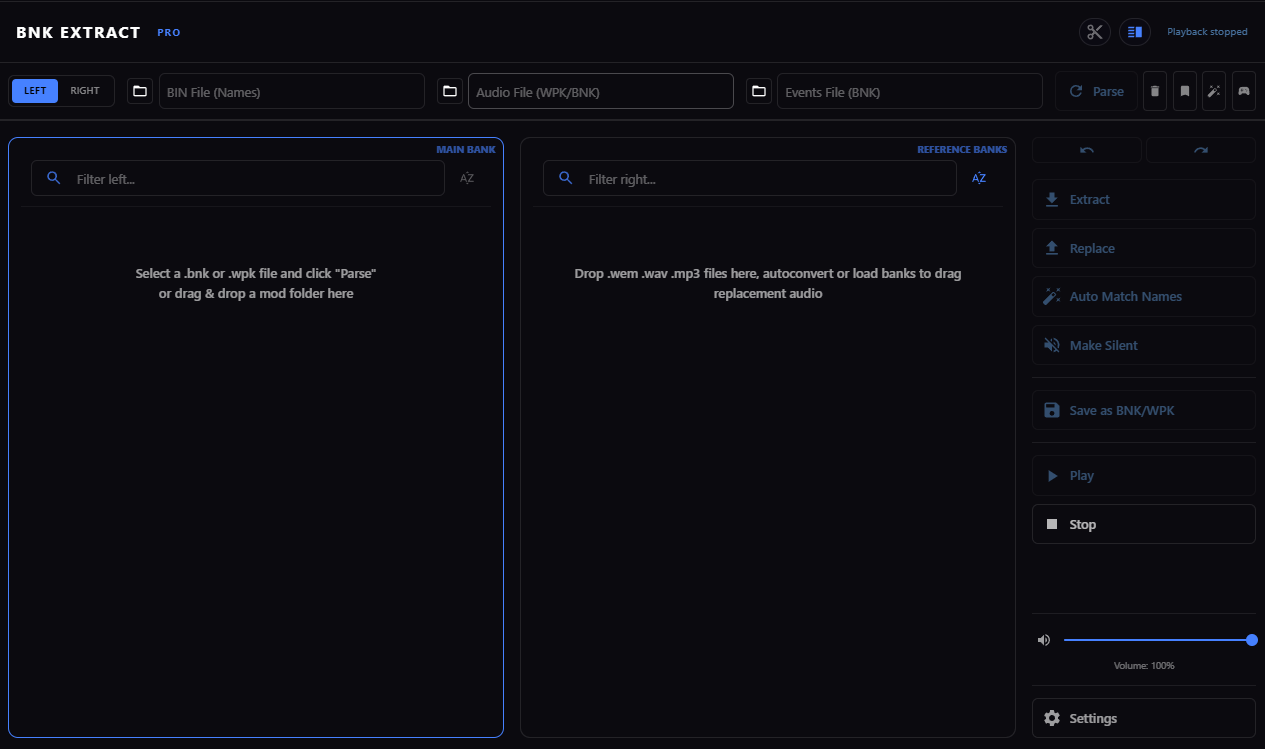
2. Parse the Game Bank (Left Panel)
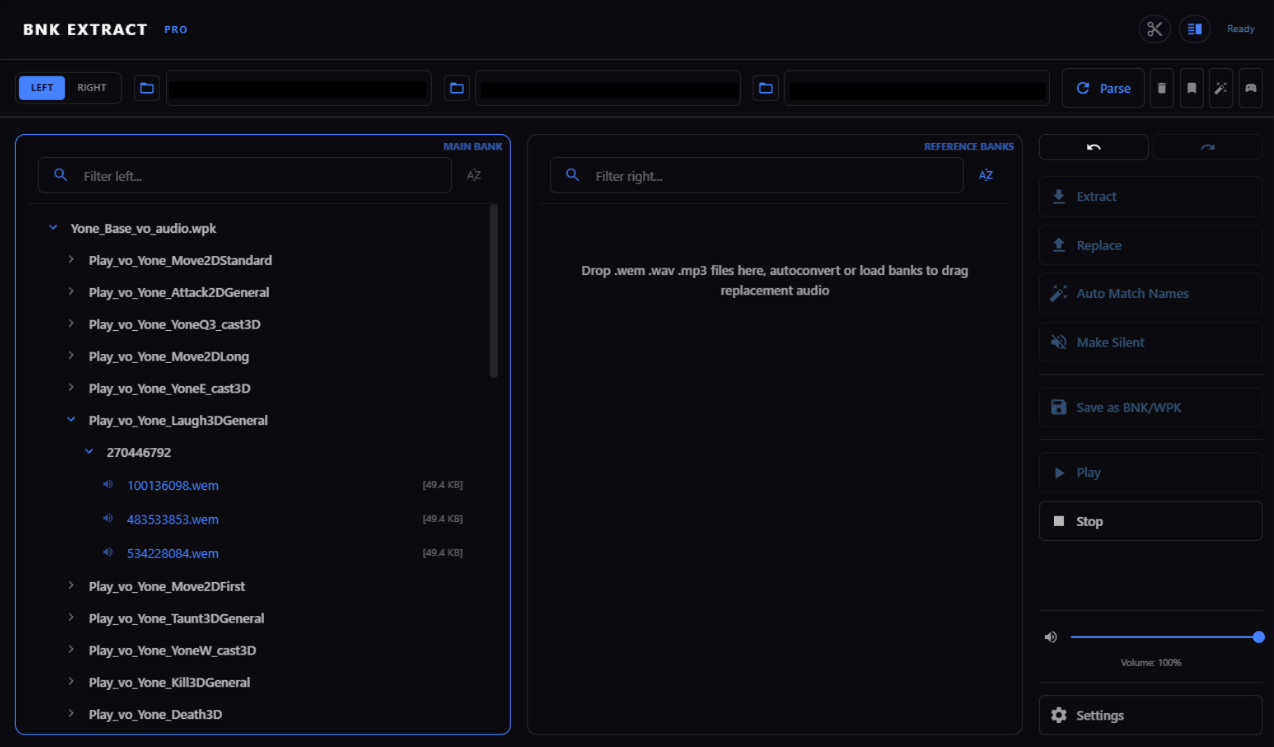
- Select your source files (
.bin,audio.bnk/audio.wpk, andevents.bnk) or choose a game preset. - Click Parse.
- The left panel fills with every event and sound ID in the bank. Click an entry to play it and make sure you have the right sound.
3. Load Replacement Audio (Right Panel)
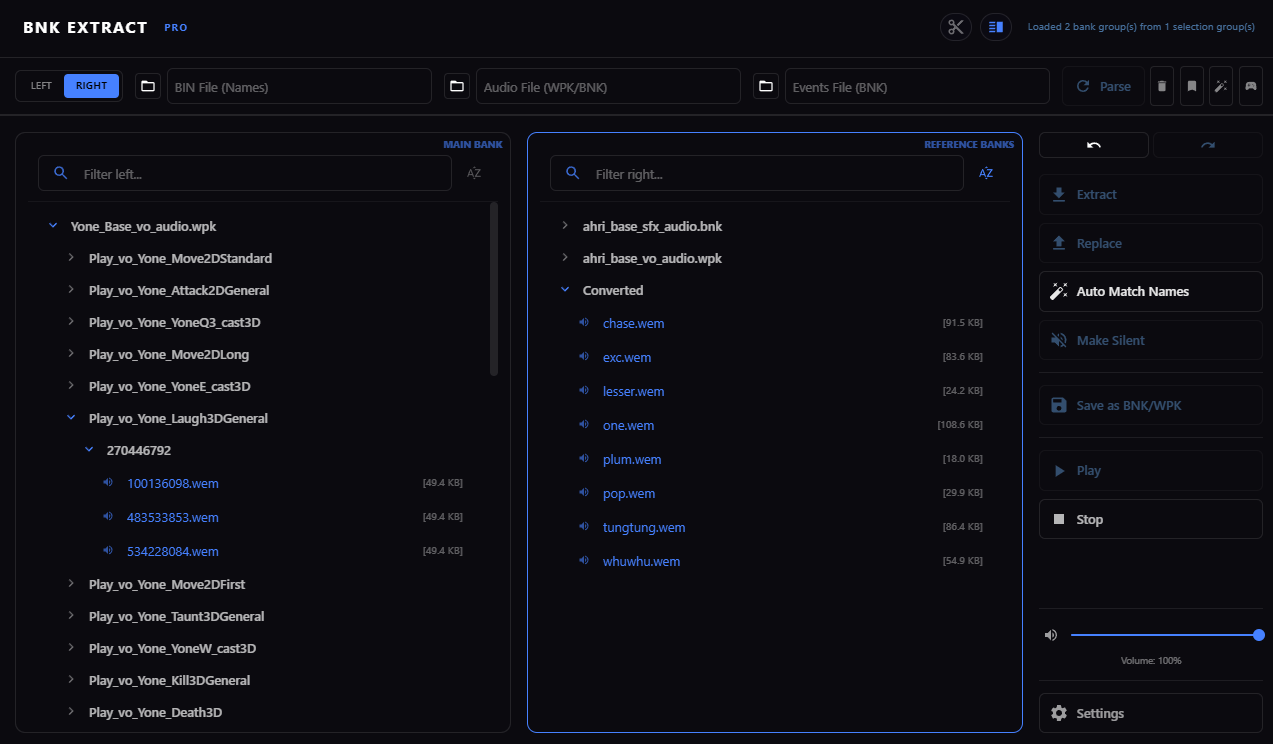
Load your custom audio files into the right panel. Quartz accepts:
.wav(uncompressed PCM recommended for best quality).mp3.ogg.wem(already converted Wwise audio)
Quartz converts imported .wav, .mp3, and .ogg files to .wem for you.
You don't need to convert anything beforehand.
You can also parse a second League bank on the right side to borrow sounds from other champions or skins.
4. Replace the Audio
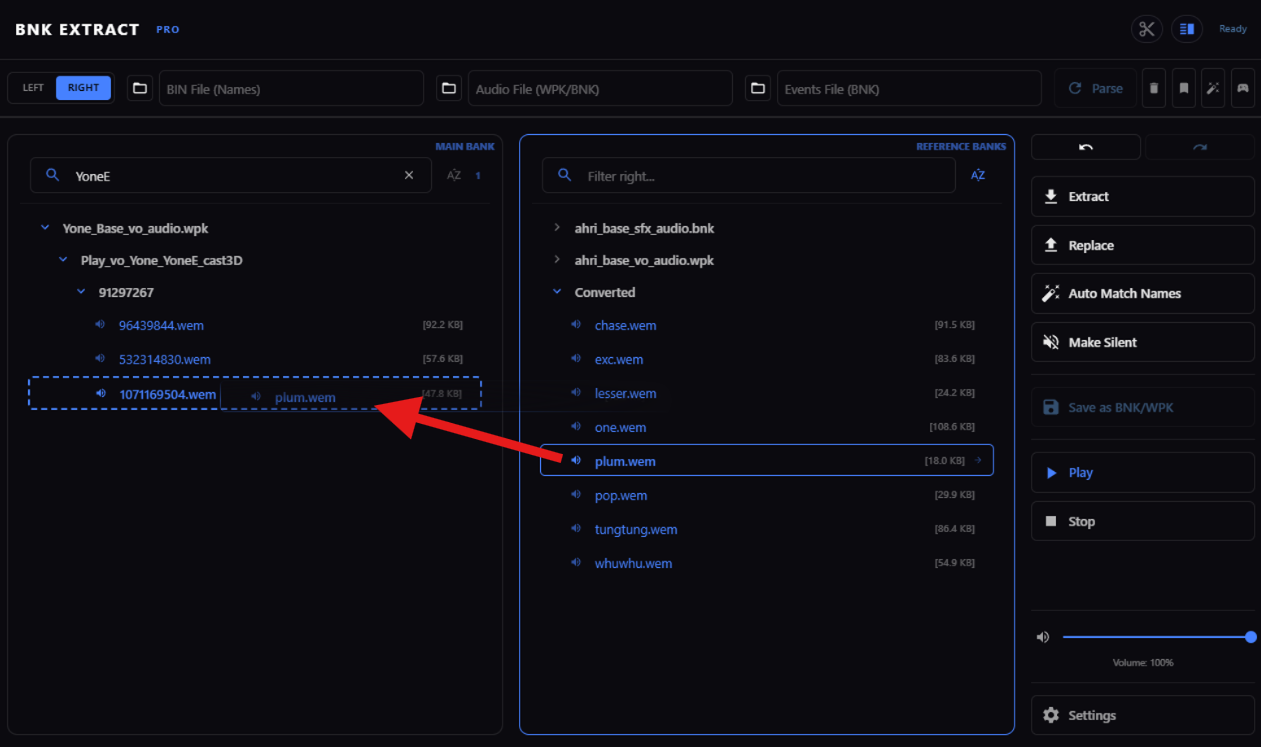
- Drag a sound from the right panel onto the sound you want to replace in the left panel.
- The icon and text in the left panel update to mark the entry as modified.
- Click the replaced entry to preview the new sound and check its volume.
5. Export the Modified Bank
- Select the modified bank in the left panel.
- Click Save as BNK/WPK.
- Save the file into your mod folder, using the same folder structure League expects.
Packaging the Final Mod
When you build your mod package (for example, for cslol-manager), include only the files you changed:
| Mod type | Files to include | Notes |
|---|---|---|
| SFX mod | ..._audio.bnk | Plain audio replacements don't need an edited events bank or .bin file. |
| VO mod | ..._audio.wpk AND ..._events.bnk | events.bnk defines which audio plays for each in-game event. Without it next to the .wpk, your voice lines won't trigger. |
Guide by aurecueil