
Show off your mod
Take clean in-game screenshots, record a short clip, and show off your mod on its Divine mod page and in Divine's Discord, with the right credits.
You made a mod. Now show it. This page covers screenshots, a short clip, and where to show them: your mod page on Divine and Divine's Discord.
Divine is adding Deadlock mods. When they arrive, your screenshots and clip go on your mod page. You can take them now.
What you need
The screenshot tool and recorder you already use are fine. Your mod page on Divine gives you a link to share.
Keep it free and fair
- Keep it free. Every mod on Divine is free. Never sell your mod or lock it behind a paywall. Valve's Steam Subscriber Agreement allows only non-commercial use of content made with its tools.
- Show only cosmetic mods. Never show off a mod that makes enemies easier to see or hear. What's allowed and how to stay safe lists the rules.
- Show your own work. Use art you made, or art you have permission to use. Credits, licenses, and permissions explains why characters from other games or films are a risk.
- No AI-made art, models, voices, or music.
- Keep it free of 18+ content. Your screenshots and clips should be fine for anyone to see.
Take clean screenshots
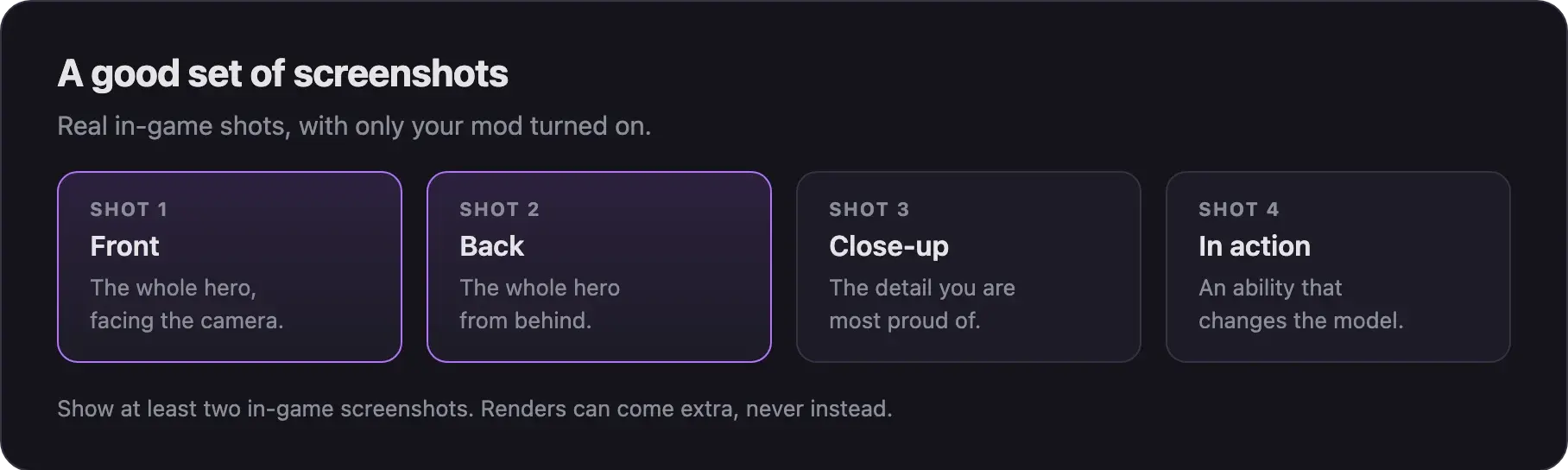
- Turn off your other mods. Only your mod should show.
- Start Deadlock and load a private map, such as
map dl_hideout. Test your mod in game shows how to use the console. - Try the sandbox mode for better lighting. Some creators test their skins there.
- Pick your hero. Type
changeteam 0in the console to pick again. - Take shots from the front and the back. Add a close-up and one ability that changes the model.
- Take at least two in-game screenshots for your mod page.
- Use Steam's screenshot key, F12 by default, or your own tool.
Show the mod as it looks in game. A render from Blender can come as an extra, never instead of real screenshots.
This part of Basilisken's video shows a new skin tested in the sandbox:
The video is a full hero model swap, made before the September 2026 update. It starts at the in-game test. Menus may look different now.
Record a short clip
A clip shows what screenshots cannot: animations, effects, and sound.
- Use the same private map, with only your mod on.
- Start your screen recorder.
- Show the mod moving. Walk, turn, and use the abilities your mod changes.
- For a sound mod, record the game audio. Play your sound a few times.
- Keep the clip short. Cut anything that does not show your mod.
Sound mods have no screenshots, so a clip is your best showcase.
Skip camera tools that hook into the running game or read its memory. You do not need them to show off a mod.
Add them to your mod page
Your mod page on Divine holds the download, your screenshots, and your clip. Players see it in Explore mods.
- Add your screenshots when you fill in the new mod form.
- Put the best shot first. Show the whole hero.
- Add your clip, so players see the mod move.
- Got better shots later? Edit your mod in the Creator Panel and add them.
Share on Discord
Show off your mod, get feedback from other creators, and ask questions.
- Open the invite and join the server.
- Read the server rules.
- Post your screenshots or clip in the channel meant for sharing work.
- Add the link to your mod page on Divine, once your mod is live.
Want feedback before you release? Post a preview there too. Show only your own work.
Credit everyone
- Name everyone whose work is in your mod. Include model and texture makers, co-creators, voice actors, composers, and sound sources.
- Link to their pages, so people can find their work.
- Ask first before you fix, recolor, or build on another creator's mod. Many licenses forbid changes without permission.
- Use the same credits everywhere: on your mod page and in Discord.
Thanking the guides and tools you used is a nice touch too.
Next steps
Updates break mods. Find what changed, rebuild, and post the fix on the same mod.
Credits
This guide is based on the work of these creators. Check out their original work.
- Video: Bat Drifter from Start to Finish: Part 1 - Make it exist first, make it pretty later by Basilisken.
- Rules: r/DeadlockTheGame rules by the subreddit's moderators.
- Rules: Deadlock section rules and Mods section rules on GameBanana.
- Legal: Steam Subscriber Agreement by Valve.