
CSDK 12
The community Source 2 tools for Deadlock: download, first launch, which binary to pick, addons, compiling, and optional full game files.
Community Source Development Kit 12: Valve's Counter-Strike 2 tools, adapted for Deadlock.
CSDK 12 compiles your edited files into files Deadlock can read. Every current guide uses it for materials, sounds, UI images, and models. The first install is in Set up your creator tools. This page is the reference for everything after that.
Valve did not make CSDK 12 and does not support it. Community members built it from Valve's Counter-Strike 2 Workshop Tools, Deadlock files, and their own fixes. It has no named maintainer and no license. Download it only through its community page.
What you need

Source 2 Viewer gets files out of the game. CSDK 12 runs on Windows only. Keep Steam running whenever you use the tools.
At a glance
| Detail | CSDK 12 |
|---|---|
| Full name | Community Source Development Kit 12 |
| Version to get | Reduced CSDK 12. It leaves out the full game files and still edits models, sounds, textures, UI, and vdata. |
| Built for | The "6 Heroes" update of 2025-08-19. The page was last updated 2026-08-10. |
CSDK 12 is pinned to an older game build. Newer formats, such as AnimGraph 2 animation clips, compile in an outdated form. Hero model swaps use the CS2 Workshop Tools for that part.
Get started
Download and unzip
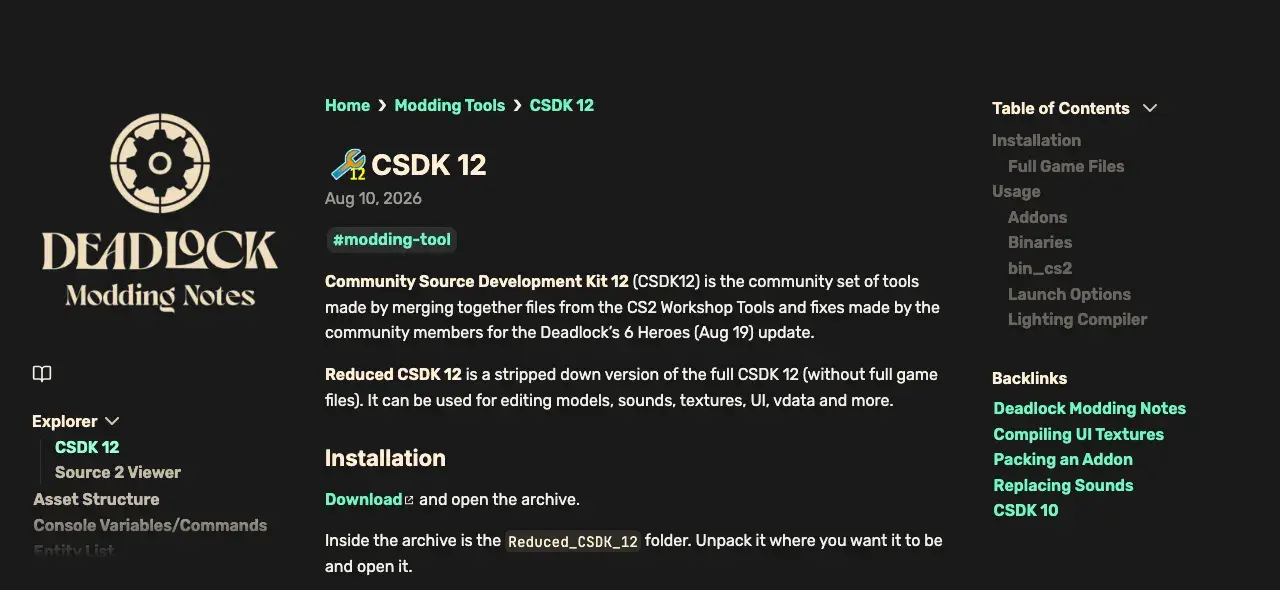
- Open the CSDK 12 page on Deadlock Modding Notes, with the button at the top of this page.
- Use the Download link in its Installation section. The archive holds a
Reduced_CSDK_12folder. - Unzip it to a short path, such as
C:\Reduced_CSDK_12.
Do not unzip it on the Desktop or in Documents. OneDrive often syncs those folders, and that breaks the tools. Keep it out of the Deadlock game folder too.
Windows may show a SmartScreen warning for the CSDK 12 programs. Continue only if you got the archive from the community page.
Open the launcher
- Start Steam.
- Open
csdkcfg.exein theReduced_CSDK_12folder. This is the launcher, also called the Configuration Tool. - Select an addon and click Launch Tools. A VConsole window opens first, then the Asset Browser.
Older CSDK 12 downloads start from game\bin\win64\Deadlock_with_tools.exe instead. Some guides call it the "Project8 CFG Tool".
The launcher has these launch options:
| Name | Description |
|---|---|
| VConsole | Opens the VConsole window, where compile errors show up. Keep it on. |
| No Addon | Only for editing the tools' own files. It can overwrite base files in game/citadel. Keep it off. |
| Fix Models | One guide says ModelDoc needs it on. A greyed-out box means you started the wrong program. Your launcher may not have it. |
Pick a binary
The binary picker sits in the top left of the launcher. Each choice starts a different build of the tools.
| Binary | Use it for | Watch out |
|---|---|---|
bin | Almost everything. Start here. | Can crash when it previews some projected particles. |
bin_tools | Previewing projected particle effects | Crashes when it compiles AnimGraph 1 models. |
bin_server | Starting Deadlock in server mode to preview mods. Compiles VData and Panorama. | Needs the full game files. Will not start without them. |
bin_cs2 | The GUI Map Compiler, for map lighting | Maps only. |
Addons and templates
An addon is one mod project. CSDK 12 gives each addon two folders, and your paths must match the game's paths.
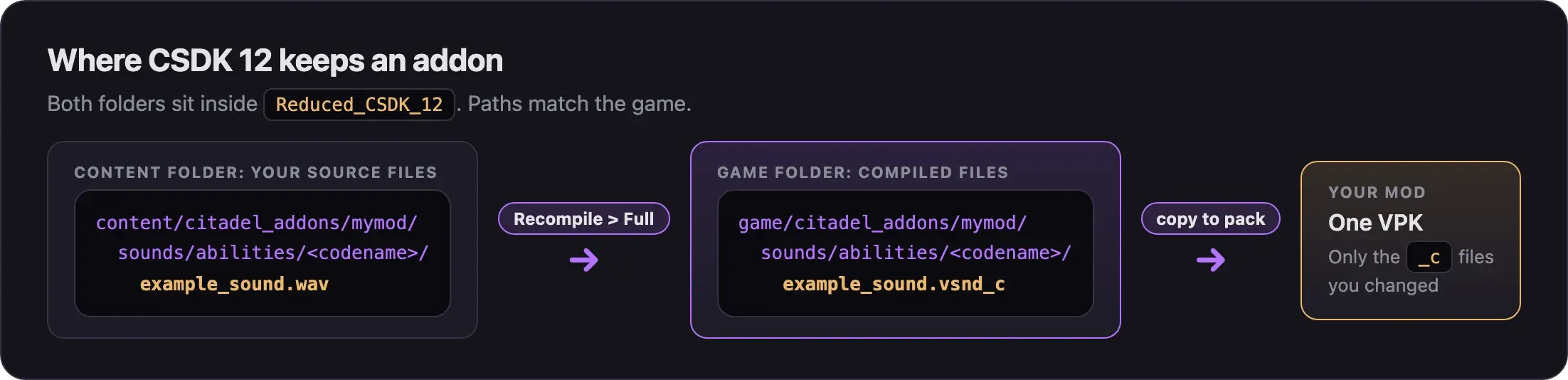
- Click Create New Addon in the launcher. Name it in lowercase with no spaces or special characters, or the launcher hides it.
- Right-click an addon for its menu: Explore Content Folder, Explore Game Folder, Duplicate, Compile All Assets, Create VPK, and Delete.
- CSDK 12 ships template addons:
hero_image_templatefor portraits and icons, and the Billy Audio Template for sounds. Duplicate a template to start from it.
We do not use Create VPK yet. The packing guide in Next steps explains why.
Compile
You have three ways to compile:
While the tools run, they watch the content folder and compile new files into the game folder.
In the Asset Browser, right-click the file and choose Recompile, then Full.
In the launcher, right-click the addon and choose Compile All Assets.
To find the result, right-click the asset and choose File '...', then Open Folder, or use Explore Game Folder. Compiled files end in _c.
To see only your files, click the "x/y mods" counter in the Asset Browser. Pick Only next to your addon.
When a compile fails, read the VConsole window. Compile errors show up there.
From the command line
Every compile runs resourcecompiler.exe. Build scripts call it from game\bin_tools\win64\:
resourcecompiler.exe -i "<full path to your source file>"| Name | Description |
|---|---|
| -i | Sets the input file. |
| -r | With a wildcard, compiles a whole folder. |
| -f | Forces a compile even if nothing changed. |
| -game <path to gameinfo.gi> | For files outside the content folder. |
The tools inside
| Tool | What Deadlock creators use it for |
|---|---|
| Asset Browser | The hub. Browse, preview, open editors, and recompile. |
| Material Editor | Make and fix .vmat materials. A purple checkerboard means a missing texture. |
| ModelDoc | Build hero and prop models from your exported meshes. |
| Particle Editor | Recolor ability particles. |
| VConsole | Read compile errors and logs. |
| Resource Compiler | Compiles everything. The Asset Browser uses it for you. |
| CS2 Workshop Manager | A packing trick. The packing guide in Next steps shows it. |
| Multichunk Workshop Manager | Packs mods over 2 GB in parts. |
| Hammer, S2FM | Maps, posing, and renders. Both need the full game files. |
No AnimGraph editor exists for Deadlock yet. CSDK 12 cannot author animation graphs.
Full game files (advanced, optional)
Skip this if you are new. You need the full game files only for bin_server, Hammer, and S2FM. Want only to study how heroes are built? Use the lighter option.
- The CSDK 12 community page, linked at the top, has the steps. They use DepotDownloader to fetch an older Deadlock build, then Source 2 Viewer to unpack it into the CSDK folder.
- A
401error means Valve blocks that old build for your account, which happens if you got Deadlock later. The page offers a workaround. If that fails too, skip the full game files.
Export only the hero model folders into CSDK 12. You get hero models for reference.
- In Source 2 Viewer, open
pak01_dir.vpkand go tomodels. - Right-click
heroes_stagingand choose Export as is. - Pick
Reduced_CSDK_12\game\citadelas the target folder. - Repeat for
heroes_wip. - Open CSDK 12 and filter the Asset Browser for
vmdl. The heroes now show with their materials.
Both folders together take about 4 to 5 GB, and CSDK 12 starts slower with more files.
Common problems
More fixes are in Errors when making mods.
Next steps
Turn your compiled files into one mod file the game loads.
Credits
This guide is based on the work of these creators. Check out their original guides.
- Guide: CSDK 12 from Deadlock Modding Notes.
- Guide: Packing an Addon from Deadlock Modding Notes.
- Video: Deadlock - Compiled Models In CSDK by Pugzilla.
- Guide: From Start to Finish (Fuji's Asset Replacement Guide) by Fuji (FellOffFuji).
- Guide: Neutral's General Guide for Modding Deadlock by Neutraldrift.
- Reference: Resource Compiler on Source2Wiki.