
Custom mouse cursors
Swap Deadlock's mouse cursor for your own image by replacing loose files in the game folder, and learn why game updates undo it.
Swap Deadlock's mouse cursor for your own image. You replace a few files in the game folder. You need no modding tools, only an image editor.
What you need
Use cursor art you made or have permission to use.
Where cursor files live
Cursor mods are not VPKs. They are loose files that replace the game's own cursor files in this folder:
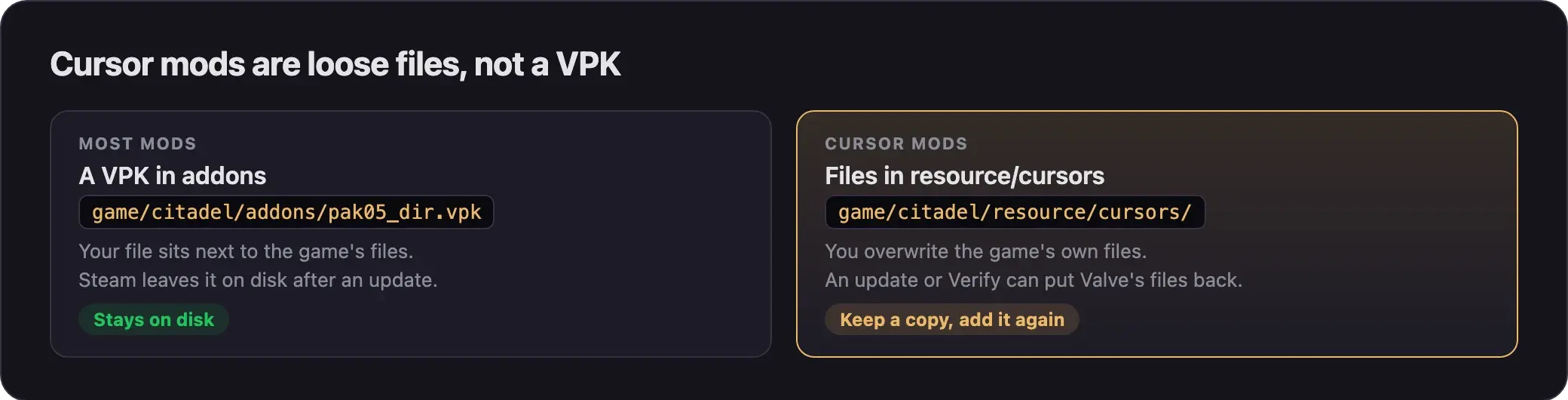
To open the folder:
- Open your Steam Library.
- Right-click Deadlock.
- Choose Manage, then Browse local files.
- Open
game, thencitadel, thenresource, thencursors.
A mod from 2024 replaced a file named cursor.bmp. The names may be different on the current build. Check what is in your folder.
Source 2 Viewer also shows a cursor image, panorama/images/cursors/arrow_png.vtex_c, inside game/core/pak01_dir.vpk. Cursor mods don't use it. They replace the loose files.
Make and install your cursor
Back up the originals
- Copy the whole
cursorsfolder. - Paste it outside the Deadlock folder, for example on your desktop.
You need this copy to undo your cursor later.
Make your cursor image
- Open the original cursor file in your image editor.
- Note its size and file format.
- Draw your cursor at the same size.
- Export it in the same format, with the same file name as the original.
To make the cursor bigger or smaller, use the game's cursor size setting. You don't need a new image for that.
If you share your cursor, keep the art your own and free of anything offensive.
Replace the files
- Close Deadlock.
- Copy your new cursor file into
game/citadel/resource/cursors/. - Let it replace the original file.
- Start Deadlock and move the mouse in the main menu.
A cursor mod you downloaded installs the same way. Cursor mods come as loose files, not a VPK, so copy them in by hand. Follow the steps on the mod's page.
Undo it
- Close Deadlock.
- Copy the files from your backup back into
resource/cursors/.
You can also run Verify integrity of game files in Steam. It restores Valve's cursor files. It also replaces gameinfo.gi, so your other mods stop loading until you set them up again. Install mods by hand shows how.
Why updates undo it
A game update can put Valve's cursor files back. Verify integrity of game files does the same. Your cursor is then gone, with no error.
- Keep a copy of your cursor files outside the Deadlock folder.
- After each game update, check the cursor in the main menu.
- If it is back to normal, copy your files in again.
If an update renames the cursor files, your old files do nothing. Look in the folder again and rename your files to match.
Common problems
- Nothing changes. Your file name or format is different from the original. Compare it with your backup.
- The cursor went back to normal. A game update or Verify restored Valve's files. Copy yours in again.
- You lost the original files. Run Verify integrity of game files, then redo your mod setup.
Next steps
Make custom hero portraits, minimap icons, ability icons, and item art.
Add custom chat wheel menus and extra voice commands with ChatLane.
Credits
This guide is based on the work of these creators. Check out their original mods.
- Mod: Gauntlet Cursor by Stinnnaler.
- Mod: Custom menu video - Ivy (night) by Semesbuchas.
- Data: GameTracking-Deadlock by SteamTracking, for the cursor file paths.