
Install mods with Deadlock Mod Manager
Install Deadlock Mod Manager, add a mod file you downloaded, set the load order, and start the game with or without mods.
Deadlock Mod Manager (DMM) adds the mod files you downloaded, edits the game's config, and redoes that edit after updates. Read What's allowed and how to stay safe first.
Celestial, Divine's own launcher, does not install Deadlock mods yet, so this guide uses Deadlock Mod Manager. Divine is adding Deadlock mods. When they arrive, you'll find them in Explore mods, and you'll publish yours from the Creator Panel.
What you need
Deadlock on Steam
latest versionWindows 10 or 11
64-bitLinux
also worksInstall Deadlock through Steam and update it to the latest version. The setup cannot find the game otherwise.
Watch the video
The video was recorded after the City Never Sleeps update and covers installing and setting up DMM. At 1:49 it says mods are not bannable. Nobody can promise that: Valve has published no mod policy for Deadlock.
Install and use DMM
Download Deadlock Mod Manager

Adds your mods to the game and loads them again after updates.
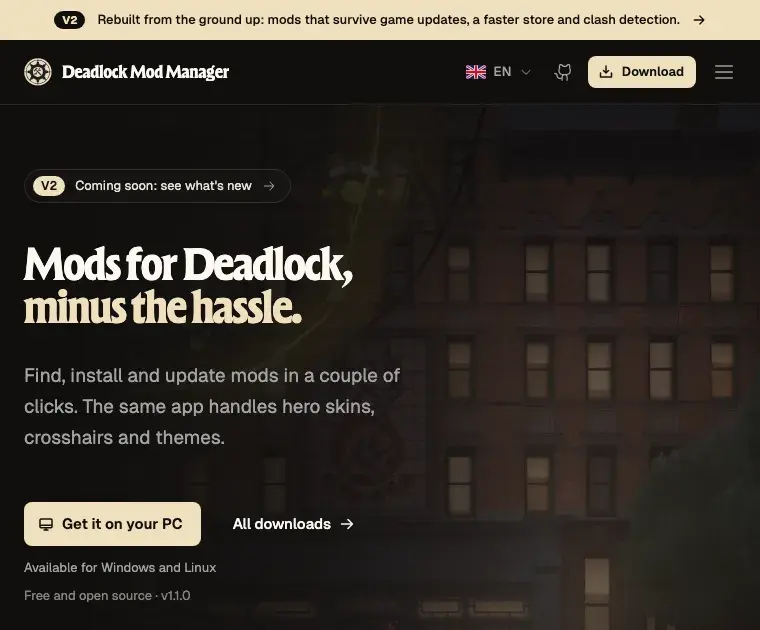
- Open deadlockmods.app in your browser.
- Check the address bar. It must say
deadlockmods.app. - Click Get it on your PC and download the Windows installer.
- Run the installer.
- Click Next until you see Finish, then click it.
Follow the official install guide. It lists Flatpak, AppImage, .deb, .rpm, and other packages.
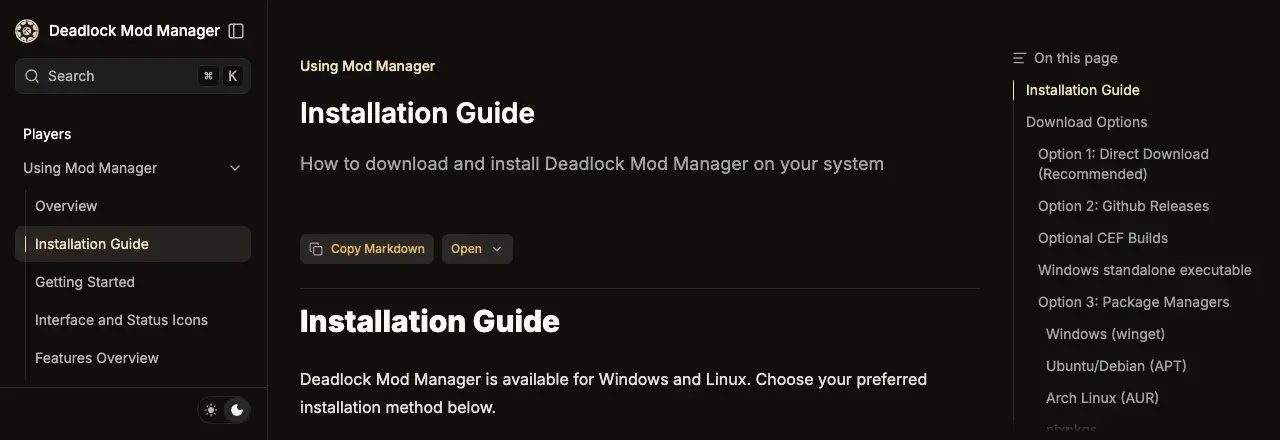
Get DMM only from deadlockmods.app or its GitHub
page.
deadlockmodmanager.com is an unofficial lookalike site.
Set up on first launch
The first time you open DMM, a setup wizard checks your setup. You can skip it.
- Open Deadlock Mod Manager.
- Read the notice that mods are third-party content. Tick the box and click Next.
- Check that DMM found your Deadlock folder. Click Next.
- Choose Automatic on the download server screen. Click Next.
- If DMM says it found existing mods, read that screen carefully. Then click Next.
- Choose whether to share anonymous usage data. Click Finish.
- Look at the status bar. It should show the API as online and the game as ready.
If the wizard asks about match data sharing, read Privacy: Match Data Sharing first.
If DMM did not find the game, open Settings, then Game and set the path to the Deadlock folder itself, not game or citadel. The default is C:\Program Files (x86)\Steam\steamapps\common\Deadlock.
Add a mod
Download the mod's file first. It is a .vpk file, or a .zip, .rar, or .7z archive with a .vpk inside. Mods not updated since the City Never Sleeps update (September 29, 2026) may be broken.
- Open Mods Library in the sidebar.
- Click Add Local Mod.
- Drop the mod's file into the upload area, or click the area to pick the file.
- Type a name for the mod. Only the name is required.
- Add the mod to your library.
Look inside an archive before you add it. A real mod never holds an .exe, .dll, .bat, .ps1, or .scr file. If yours does, delete the download.
Turn mods on and set the order
- Open Mods Library.
- Turn on each mod you want to use. New mods start switched off.
- Read the warning if DMM says two mods change the same hero. Choose which one to keep, or keep both.
- Open Change Mods Order to pick which mod wins when two mods change the same file.
Mods that change different files work together in any order. DMM also has profiles: separate sets of mods you can switch between.
Launch with or without mods
- Click Launch Modded.
- Click Continue on the prompt.
The first time, DMM edits the game's gameinfo.gi file so Deadlock loads your mods. After that, Deadlock starts with mods even from Steam.
To play without mods, click Launch without mods in DMM, or use Disable all mods.
Custom map mods can stop you from loading the normal map or joining matchmaking. DMM warns you before launch. Use Disable Map Mods & Launch before a normal match.
After a game update
Game updates often replace gameinfo.gi with Valve's copy, and your mods stop loading with no error.
- Close Deadlock.
- Open DMM.
- Click Launch Modded. DMM writes its changes into the new file.
The Auto-Reapply Mods setting does this for you.
Big updates also break some mods, most of all HUD mods. If the game crashes after an update:
- Click Disable all mods and launch once to check that the game works.
- Turn your mods back on one at a time, and launch after each one.
- Turn off the mod that crashes the game, and wait for a newer version of it.
Mods not loading has more fixes.
Privacy: Match Data Sharing
Match Data Sharing fetches your own match data. To do this, DMM reads your Steam login token from a Steam file on your PC. Open Settings, then Privacy and turn it off if you do not want it.
Switch managers or uninstall
Use one mod manager per Deadlock install. Two managers both rewrite
gameinfo.gi, so mods vanish or load twice.
Grimoire is the main alternative to DMM. We recommend DMM because far more players use it. Mod managers compared has the details.
Grimoire
Get it only from grimoiremods.com or its GitHub page, Slush97/grimoire.
AlternativeTo switch from DMM to Grimoire, close Deadlock, install Grimoire, and use its DMM import. Then uninstall DMM.
To switch from Grimoire to DMM, close Deadlock and choose Mods Library, then Import from other mod managers in DMM. Then uninstall Grimoire.
To stop using mods completely:
- Click Disable all mods in DMM.
- Uninstall DMM like any other app.
- Follow Remove mods completely to delete leftover mod files and restore the original game file.
Common problems
| Problem | Fix |
|---|---|
Access is denied. (os error 5) | gameinfo.gi or the addons folder is read-only. In game/citadel, right-click gameinfo.gi, choose Properties, untick Read-only, and click OK. Do the same for addons. |
| Antivirus flags DMM after an update | The developer says these alerts are false alarms. Download DMM again from deadlockmods.app only. |
More fixes are in Deadlock Mod Manager problems and the DMM troubleshooting docs.
Next steps
See what DMM does behind the scenes.
Start making your own mods.
Credits
This guide is based on the work of these creators. Check out their original guides.
- Video: How to MOD Deadlock (Easy) by Leokzy.
- Video: How To Install Mods For Deadlock by KitsuneGuide.
- Guide: Getting Started, Installation Guide, Mods Library and Files, Settings and Recovery, and Troubleshooting from the Deadlock Mod Manager docs.
- Guide: Installing mods from the Grimoire docs by Slush97.
- Tool: Deadlock Mod Manager by Stormix and contributors.